

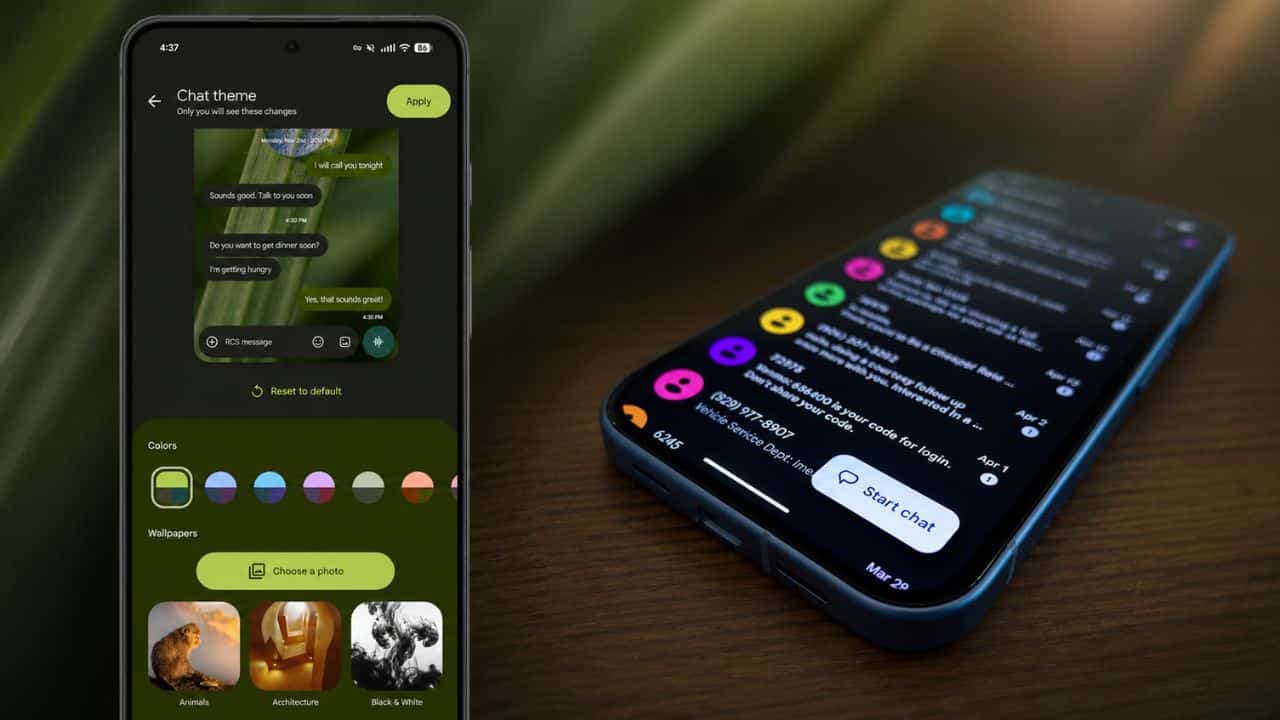
Android users can now add custom chat themes to the Google Messages beta for a more personalised and colourful messaging experience in the app. Beyond colour changes, the new feature allows users to customise individual RCS conversations with different themes, background wallpapers and message bubble styles. Reports say the older “Change colours” option is being replaced with a new “Chat themes” menu in the Google Messages beta. The users could choose from pre-made wallpaper sets, upload their own photos and even make animated GIFs as chat backgrounds. It’s a useful update for Android users who want their conversations to be a little less plain and a little more personal. It’s seemingly rolling out slowly so not all beta users will see the feature right away. For now, it mostly works with RCS chats and is visible only to the person who applies the theme.

What’s new in Google Messages Beta?
The new Google Messages beta update gives Android users a bigger customisation system. Now, users will have access to a full “Chat themes” option instead of just being able to change chat colours. This feature allows people to personalise conversations with background wallpapers, colour schemes and message bubble styles. Google Messages has always had a simple look, but this update makes the app more modern and friendly. It also assists users in visually distinguishing important chats by making each conversation look different. It will be particularly useful for those switching from Samsung Messages, where customisation was already a major point. Availability may depend on app version, account, region and Google’s server-side rollout. This is a beta rollout.
How do custom chat themes work?
Custom chat themes let users change the look of individual RCS conversations. When the feature is live, users can open a chat, tap on the menu or chat settings, and choose the Chat themes option. From there, they can choose from a preset theme, background wallpaper, colour style or personal image. There are also reports of animated GIF support, which would make chats feel more expressive. These changes are mostly personal, which means that the other person in the conversation does not necessarily see the same theme. This makes the feature more like a local chat personalisation feature, rather than the shared customisation of iMessage.

Why Android Users Will Enjoy This Feature
Android users will love custom chat themes, which help take Google Messages beyond basic. There are so many people using messaging apps every day that even small design changes can improve the experience. This update also comes at a good time as Google Messages is becoming the primary messaging app on many Android phones. Personalisation features are becoming more important as more users move from Samsung Messages to Google Messages.

Final Verdict
Google Messages beta is adding custom chat themes for Android, making the app more personal and visually interesting. The feature adds support for customising chats with wallpapers, preset themes, uploading your own photos, changing bubble colours and possibly GIFs. It’s a welcome change for users who want more control over the look of conversations, especially as Google Messages becomes the default messaging app for more and more Android phones. However, the rollout is slow and seems to be limited to RCS chats. If you haven’t seen the Chat themes option yet, users should wait for Google Messages beta to get updated.

Priyanshu Naithani writes about the fast-moving world of technology, including gadgets, apps, software, cybersecurity, digital trends, artificial intelligence, and innovation. His coverage is designed to make complex tech topics easier to understand and more useful for everyday readers.