

Saturday afternoon, three fixtures overlapping, and you’re squinting at a phone propped against a coffee mug. If you follow more than one league, you already know the problem: the matches that matter rarely happen one at a time, and a five-inch screen forces you to pick a favorite.

Local supporters clubs run into this constantly. Someone’s tracking a Premier League table race while a Serie A match decides a European qualification spot, and the group ends up huddled around whichever handset has the best signal.
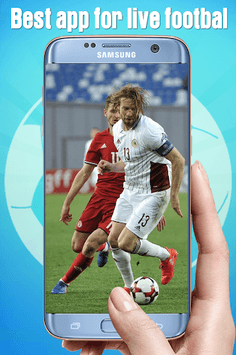
That’s where a streaming app built specifically around football schedules starts to make sense. Live Football TV, published under the developer name Sports Stream, is a free Sports-category Android app that pulls live football matches into one place and streams them in HD. The listing covers the competitions most fans argue about: UEFA Champions League and Europa League, English Premier League, FA Cup, La Liga, Copa del Rey, Bundesliga, Serie A, Coppa Italia, Ligue 1, MLS, plus international windows like the World Cup and UEFA Euro.
What’s inside the app
The pitch is narrow on purpose. This isn’t a general-purpose TV app with football buried in a submenu; football is the whole catalog, and the interface is built around finding a match that’s on right now.
For anyone following results across multiple countries, that focus is the useful part. You’re not scrolling past reality shows to reach a Bundesliga kickoff.
A few things the app leans on:
- Live match streams in HD rather than clip roundups
- Coverage spread across domestic leagues, cup competitions and continental tournaments
- Free access with no subscription tier described in the listing
- A layout organized around what’s live, not around channel numbers
This kind of app has limits worth naming. Availability of any given match depends on what streams it can serve in your region at that moment, and schedules for competitions like the FA Cup or Copa del Rey shift constantly. Treat it as a way to catch matches, not a guaranteed contract for every fixture.
Running Live Football TV on a Windows machine
The app ships as an Android title, so a desktop run means an Android emulator doing the translation. The practical payoff is screen real estate: a laptop or monitor turns a solo phone stream into something a room can watch, and you can keep a league table or a live score page open in a browser window beside it.
Two emulator specifics matter here, and neither is about RAM sliders. First, this is a video app, so graphics rendering mode is the setting to check. If the stream stutters or shows a black frame with audio still playing, switching the emulator’s renderer between DirectX and OpenGL usually clears it up. BlueStacks exposes this under its graphics preferences. LDPlayer keeps a similar toggle in its own settings panel.

The second thing is orientation and window handling. Football streams are landscape by default, and some emulator profiles boot into a portrait phone layout that crops the pitch awkwardly. Before a 90-minute match starts, check that the app scales into landscape properly; the display-orientation notes in Live Football TV for PC walk through fixing that if the stream won’t fill the frame.
Why match-day context favors the desktop setup
For readers who follow fixtures with money or a fantasy squad involved, the multi-window angle is the real argument. Watching a match while checking a team’s form elsewhere is clumsy on a phone and natural on a PC.
Following more than one fixture
Overlapping kickoffs are the norm across European weekends. On a desktop, a stream in one window and a scores page in another lets you track a title race instead of refreshing between them.
Reading a match before you commit an opinion
Live pictures tell you things a scoreline hides: a side sitting deep, a striker limping through the second half, a referee who’s already booked three players. Anyone making game-day judgments, from a pub prediction to a fantasy transfer, gets more out of watching the game than reading the summary.
Sharing the screen
Supporters clubs, small venues and family viewing all benefit from an app that scales up. A monitor or a TV fed by a laptop turns a personal stream into a group event, which is closer to how football is meant to be watched anyway.
Things to keep in mind before you rely on it
Free streaming apps live or die on connection quality. HD football at 60 frames a second is demanding, and a wired connection to your PC will hold up far better than shared Wi-Fi during a peak Saturday slot.
Regional rights also mean coverage varies. A Ligue 1 match available in one country may not appear elsewhere, so keep a fallback for the fixtures you can’t miss.
And because the app is free and ad-supported in practice, expect interruptions around kickoff and half-time rather than a broadcast-clean experience.

The Saturday afternoon problem, three matches running at once and a phone balanced against a mug, is still there whether or not you set any of this up. Moving the stream to a bigger screen and putting a live table beside it is just a more comfortable way to sit through it.

This content is brought to you by the FingerLakes1.com Team. Support our mission by visiting www.patreon.com/fl1 or learn how you send us your local content here.