

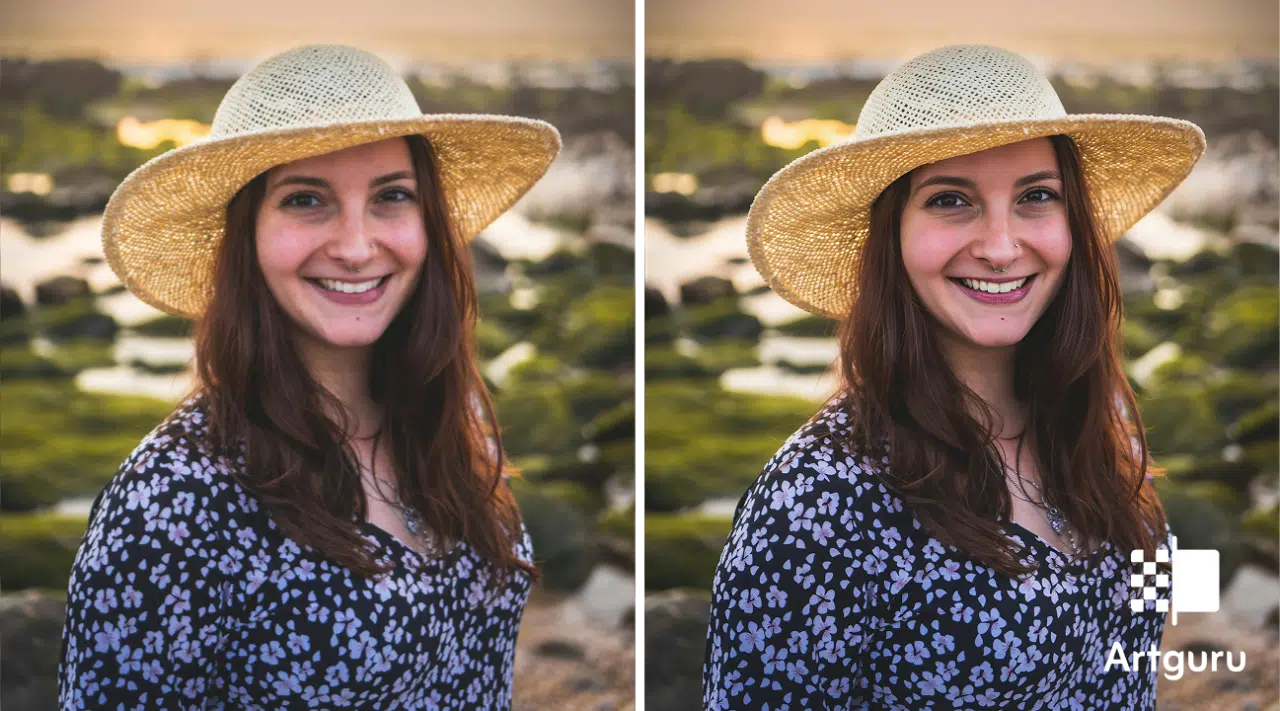
Did you ever attempt to take a really small picture and then tried to make it bigger through the internet, without an image enhancer, but at the end, you found yourself looking at what appeared to be a bowl full of pixels? Yes, it is like the cosmos just made a decision that your picture was not worthy of being clear. The colors become all strange, the edges are jagged, and the details are lost, and all of a sudden the perfect picture is a digital disaster.
However, there is some good news that you can solve this issue quite easily, and no, it is not a matter of spending long hours on Photoshop or dealing with the settings you do not grasp. AI tools such as Artguru AI Image Upscaler can upscale image quality by turning images that are small, blurry, or low-res into perfectly clear, sharp, and high-res versions in no time at all. This happens in cases where the image is meant for social media, a blog, online stores, or even old pictures that you want to restore. AI upscaling brings a rejuvenation to every image. You simply upload, and let it be done, and then download a photo that actually looks great.
What Happens When You Upscale an Image the Wrong Way
Most folks just drag the corners, hit “resize,” and pray. Big mistake. What you receive are edges that are not clear, textures that are mixed together, and colors that seem to be dull and murky, making it impossible to unblur image content. You may see that the text is reduced to small blobs or that some details are completely gone. Stretching pixels like this is basically trying to make a pizza out of a single slice—doesn’t work. Traditional methods can’t invent what wasn’t there; they just make what’s there worse.
AI upscaling is different. It looks at your image and thinks “okay, here’s what’s missing, here’s how this should actually look,” then fills in the blanks. Your small, sad image gets turned into something that actually makes sense visually.
How Modern Image Upscaling Actually Works
AI upscaling works by studying patterns, edges, textures, and colors in your image, comparing them to millions of other images it’s seen before. It doesn’t just stretch pixels. It reconstructs details intelligently. That means your photo can get bigger without turning into a mess of blocks and blobs.
The same technology is also used in a video enhancer. Instead of analyzing a single image, the AI processes each frame of a video, improving clarity, restoring details, and increasing resolution while keeping motion natural. This allows low-resolution videos to be enhanced to HD or even 4K with better sharpness and detail.
This is exactly where Artguru shines. Artguru is not a typical tool that merely takes a shot. It is a sharp-eyed AI that can recognize faces, objects, landscapes, and the delicate textures that give a picture a life-like appearance. The AI enhances your pictures in size and clarity without losing their realism, so they do not look like overly processed cartoons.
Step-by-Step: How to Upscale an Image with Artguru
Upscaling with Artguru Image Upscaler is surprisingly fast and kinda fun. Here’s how you do it:
Step 1: Upload the Image You Want to Upscale
Go to Artguru, click Upload Image, and pick whatever you want. Social media graphics, old scanned photos, logos, screenshots, selfies—basically anything works. Artguru automatically figures out what kind of image it is, so you don’t have to poke around confusing menus.
Step 2: Choose Image Upscaling and Let Artguru Process
Choose the resolution you want and let the magic happen.
Artguru:
- Enlarges your image without destroying edges
- Restores textures and tiny details that would normally vanish
- Smooths out blocky pixels without making it look fake
- Keeps colors and contrast natural
It’s like your image goes to a spa, comes back fresh, detailed, and ready for online glory.
Step 3: Download the High-Resolution Image

Upscale Image to 8K using Artguru Image Upscaler
A few seconds later, boom—high-res image ready to download. Post it, print it, or toss it on your website without worrying about blur. Got a folder full? Use batch processing and upscale multiple pics at once. It’s fast, painless, and actually kinda addictive.
Practical Tips to Avoid Blur When Upscaling Images
Even AI can’t work miracles on every single file, so:
- Start with the best quality original you’ve got
- Don’t blow tiny images up like 1000%—AI can only do so much
- Keep an eye on text and edges; sometimes tiny manual tweaks help
- Batch process for consistent results
- Adjust colors lightly if something looks off after upscaling
A few small steps now save headaches later.
Conclusion
Upscaling images online is not necessarily to be a nightmare at all. Artguru Image Upscaler can turn even the smallest, blurriest, or lowest-resolution images into crisp, sharp, high-res versions in just a few seconds. What could in the past take hours playing around with software now happens nearly without any effort. AI upscaling can revitalize your social media posts, blog graphics, product images for your online store, or any old memories you have scanned and want to retain. There will be no more pixelated messes or blurry enlargements that give your work a messy appearance.
Simply upload, allow Artguru AI Image Upscaler to perform its magic, and then download a photo that truly appears to have been intended for high-resolution output. Upgrade in an intelligent way, not in a laborious way.

This content is brought to you by the FingerLakes1.com Team. Support our mission by visiting www.patreon.com/fl1 or learn how you send us your local content here.