GetQR lets you make QR codes, style them and track how often people scan them. It isn’t a free tool, though. You pay a subscription, and in return you get dynamic codes, which you can still edit after they’ve gone to print.
You’ve probably scanned a few QR codes this week without thinking about it. Restaurants put their menus behind them. People print them on business cards. Event organizers use them as tickets, and plenty of creators use them to send people to a PDF, a video, or an Instagram page.
What draws people to GetQR is how little effort it takes. Pick a code type, choose your colors, and you’re done. The $1 seven-day trial on the pricing page also makes it cheap to try. Below, we uncover what that trial turns into, what the features are actually like, how refunds work, and which alternatives are worth a look.
What Is GetQR and How Does It Work?
GetQR is a web-based QR code generator that allows users to create, customize, and track dynamic QR codes. There’s no app for GetQR. You open it in a browser, and it works the same on a phone, tablet, or laptop. According to GetQR’s terms, it’s owned by Hint America Inc., a company with an address in Claymont, Delaware.
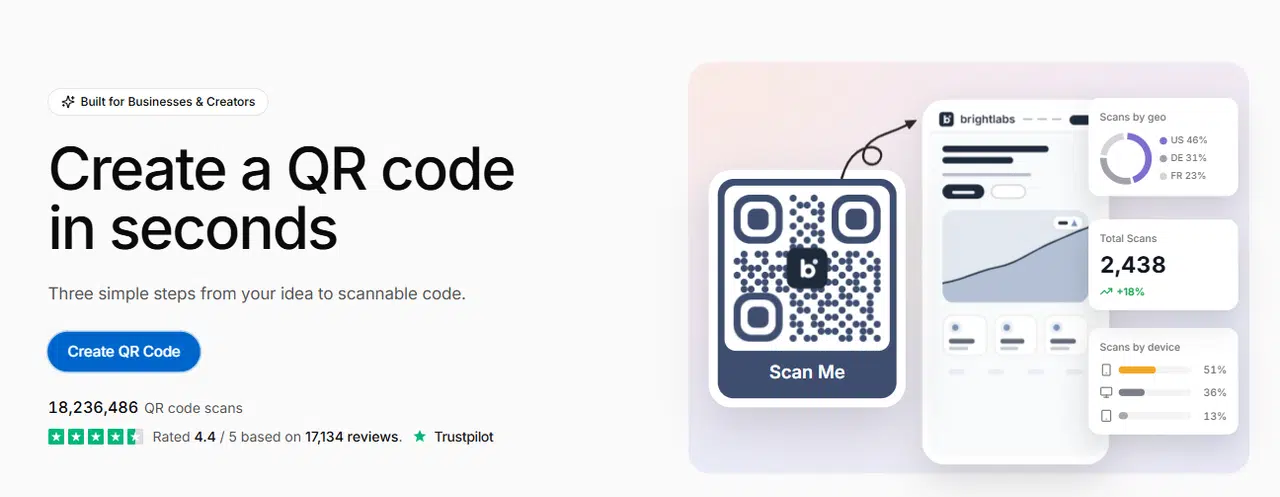
Making a code is quick. On the homepage, click Create QR code. If you’re new, you choose what kind of QR code you want, fill in the content, and play with the design a bit. After that, you’ll sign in with Google or your email and download it. Four steps, more or less.
One thing worth knowing early is that QR codes come in two types.
- Static: whatever the code holds is fixed in the pattern. Nobody can change it or count the scans directly, but it never needs an account to keep running either.
- Dynamic: the code sends people to a short link first, and the company that made it controls that link. That’s how you’re able to swap the destination later and check how many scans you got.
GetQR mainly offers dynamic codes, except WiFi QR codes, which are static. Everything you make with it runs through GetQR’s system, which ties your codes to your subscription. Stop paying, and they stop working.
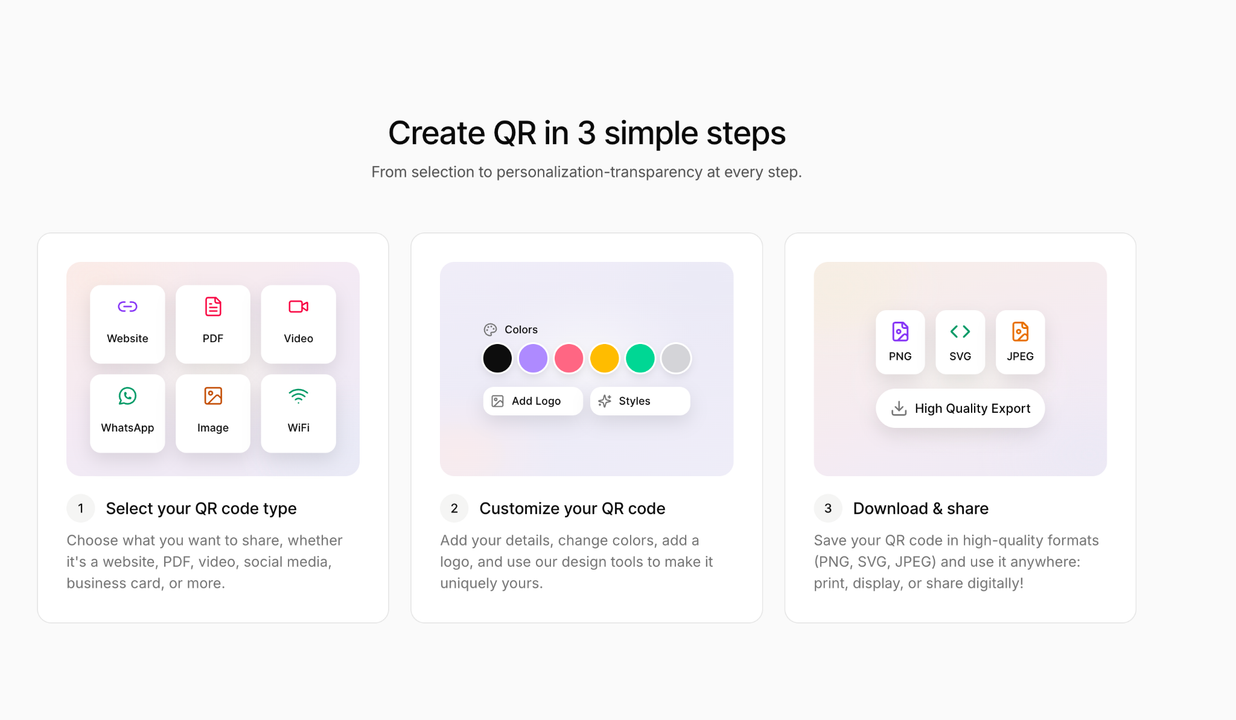
GetQR’s three-step QR code builder
GetQR Code Generator Features
Dynamic QR Codes
On their website, you can update a destination link, swap files, or change contact details at any time without reprinting. GetQR supports 16 QR types, including PDF, website, vCard, video, and payment.
This is useful if a website moves or a PDF link changes. Instead of finding out from a customer, you get the chance to fix it first.
Analytics
If you run a business where you need to know everything that’s happening, you’ll find GetQR helpful. It can track the number of scans, location, device type, operating system, and browser. Scheduled reports can be emailed daily, weekly, or monthly. You also have an option to get these reports as PDFs.
Customization
You can change shapes, colors, and frames and even embed your logo into the QR codes. There’s also an option to save your designs as templates and reuse them in one click. GetQR also lists branded designs and AI-generated QR designs.
Password and Access Controls
GetQR gives you a chance to password-protect a code or pause a code automatically when a campaign ends. You can schedule a go-live date and cap the total number of scans. This really helps with private files, events, and limited offers. For example, a coffee shop could set up a promo code to go live on the launch date and pause it after the first 430 scans.
Download Formats and Bulk Tools
GetQR provides JPG, PNG, EPS, PDF, and SVG as download formats with sizes up to 4096 pixels. You can also create up to 100 codes at once from a spreadsheet and invite team members to collaborate. Another good feature we found helpful is an MCP connector that lets you check scan stats through AI assistants like Claude or Cursor.
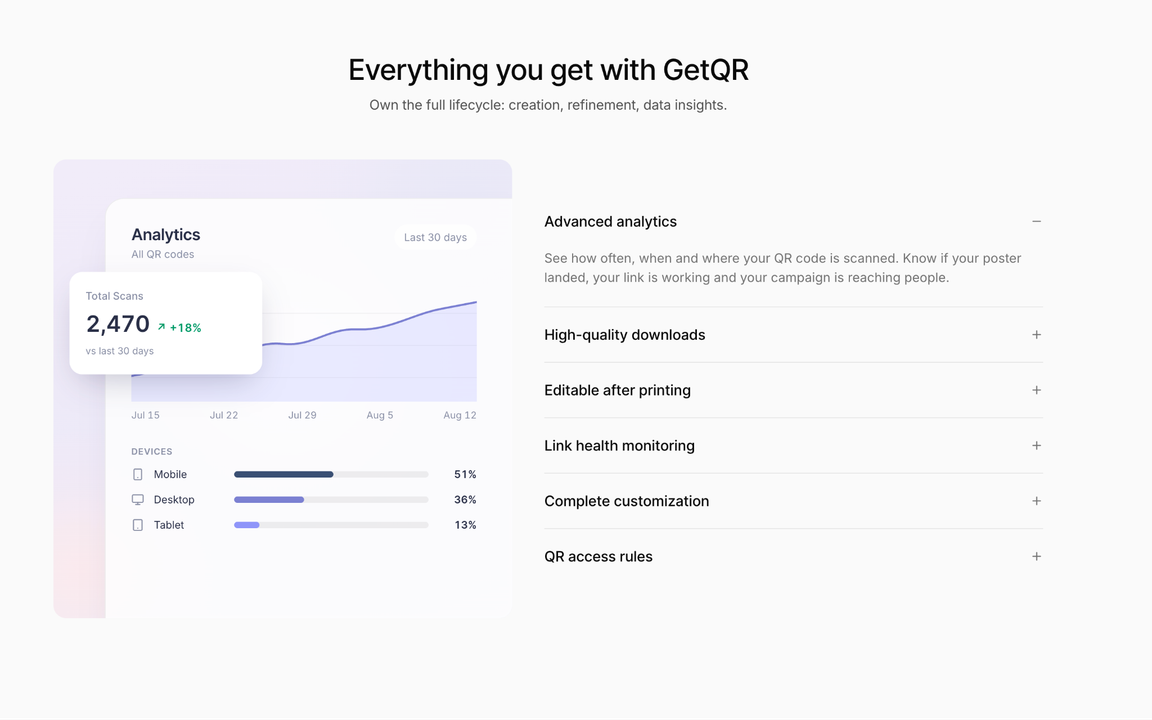
GetQR’s listed features on its pricing page
GetQR Pricing: How Much Does It Really Cost?
Here’s what we found as GetQR’s pricing.
| Plan | Advertised price | Amount billed | Renewal |
| 7-day trial | $1 for 7 days | $1, then $39.99 | Every four weeks |
| Quarterly | $29.99 a month (save 25%) | $89.99 | Every 3 months |
| Annual | $19.99 a month (save 50%) | $239.99 | Every year |
All three plans include unlimited QR codes, advanced analytics, full customization, and password protection. But always cross-check the prices, as GetQR said themselves; prices might vary by region and current promotions.
The 4-week cycle is something to keep an eye on because four weeks is not a full month. So, you’re billed 13 times over 52 weeks. That’s 13 times $39.99, which is equal to $519.87 a year. If you stay on the trial’s default, you end up paying more than double the annual price.
Is there a free subscription? No. GetQR doesn’t allow users to even create an account or use their service without subscribing.
Can you pay once for a single code? No. You have to keep renewing your plan to keep a code active, whether it’s 4-week, quarterly, or yearly.
So, who gets value from all these? If you just need a one-off code for maybe an event or a single flyer, you will likely find GetQR subscription expensive. But if you have a business running several campaigns, you might justify the annual plan, especially if it uses or requires editing or tracking.
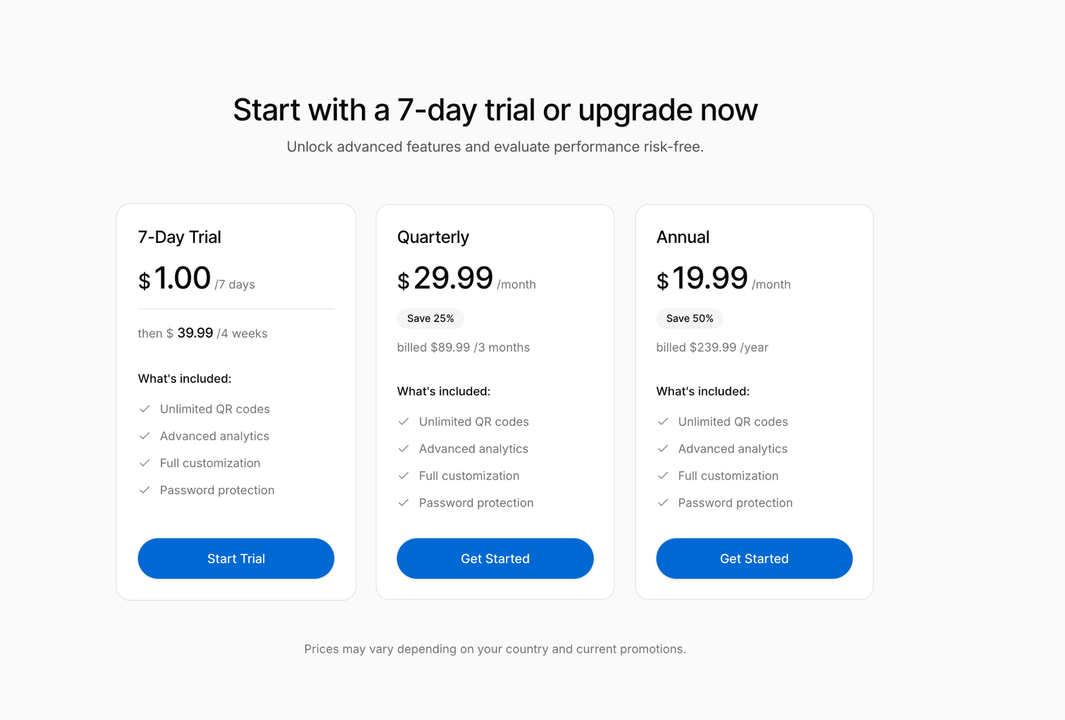
GetQR’s three plans and billed amounts
Biggest GetQR Drawbacks
Here’s what you might have a problem with on this platform:
Your Codes Need an Active Subscription
The biggest issue is that when your plan expires, or a renewal payment fails, all your QR codes, digital or printed, will be immediately deactivated and stop scanning. Even the analytics for those codes stop being shown. So, if you print 4,000 codes, they automatically become useless.
But GetQR says you can reactivate your subscription to restore your codes instantly, with no reprinting needed.
Recurring Charges Add Up
The trial renews at $39.99 every four weeks unless you cancel. Every plan renews automatically, so it continues until you stop it or have issues with your payment method.
Limited Value for Occasional Users
You’re just paying for features you won’t use if you need one code and have no plan of editing or tracking anything. A free static code from another generator will do that same job. Even the annual plan can be a lot for a small single business or party invite.
GetQR Refund Policy
GetQR’s refund policy says payments are “generally final once processed.” Refunds may be issued for duplicate or erroneous charges, technical issues, or legal obligations. But don’t expect any refund for a change of mind, downgrades, partially used billing cycles, or non-use. Requests must go to help@getqr.com within 30 days of the charge. EU and UK customers also give up their 14-day withdrawal right once the service is supplied.
What Customers Say: GetQR Reviews and Complaints
The last time we checked, GetQR’s homepage showed a 4.4 out of 5 rating from 17,047 Trustpilot reviews. On the Trustpilot UK page, 77% of reviews were five stars and 9% were one star.
The happy customers mentioned speed and ease of use in their reviews. Recent reviewers described the process as quick, easy, and user-friendly.
Unhappy customers mostly focused on billing issues. One reviewer in October 2026 said the service was “not free as advertised” and claimed a refund was refused after an accidental renewal. Others complained about the price. A four-star reviewer in September 2026 said the charge should be made clearer before you create a code.
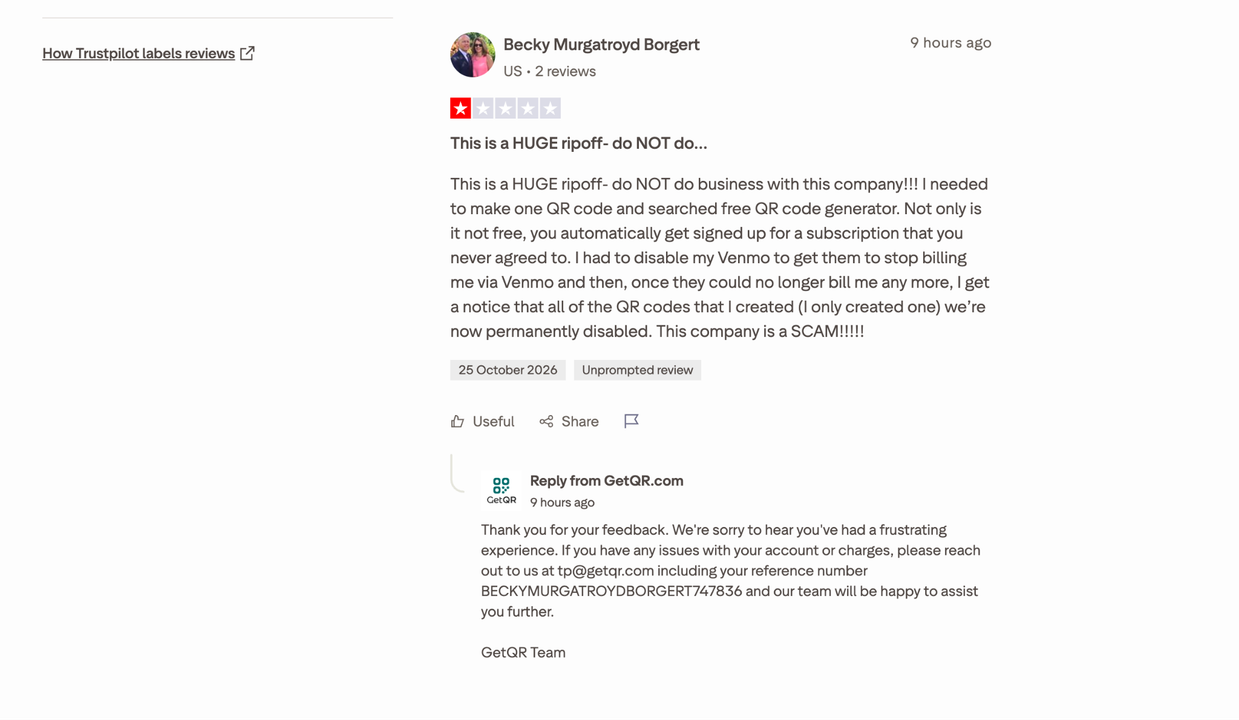
Trustpilot review explaining that it is not free
These are customer claims, not verified findings. What we can confirm is that GetQR’s pricing page does show the $1 trial and $39.99 renewal. Trustpilot shows that GetQR does reply even to negative reviews. But we found many of those replies are either automated or templated, as they mostly say the same thing word for word.
We think the pattern suggests some customers sign up without noticing the renewal terms. Hence, some users might pay the $1 without knowing they will have to renew $39.99 after 7 days.
How to Cancel a GetQR Subscription
At GetQR, cancellation is self-service, and it involves the following steps:
- Go to the cancellation portal.
- Log in if needed.
- Confirm your cancellation.
If it is successful, you will likely get an on-screen confirmation, then an email notification. GetQR says no phone calls or manual approvals are needed. Cancelling stops future charges, but it doesn’t reverse a charge already processed.
So, cancel before your billing date. You will still have access until the paid period ends, and then your codes stop working.
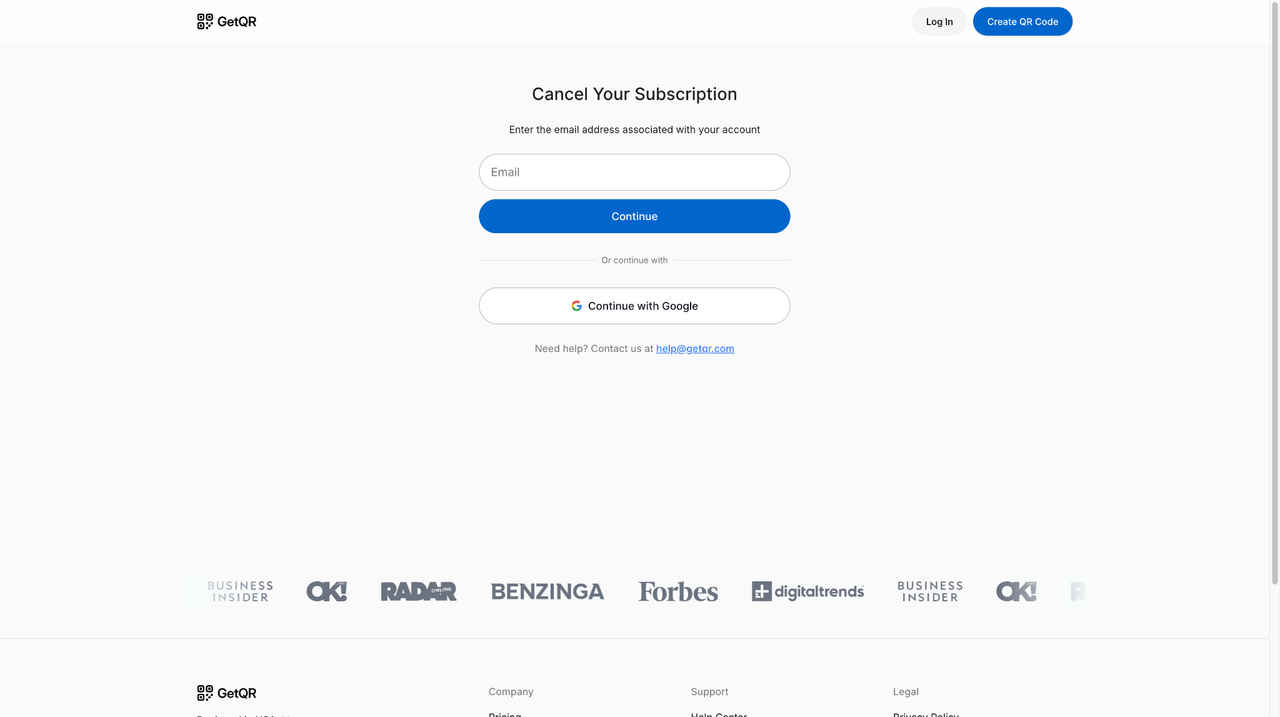
GetQR self-service cancellation page
GetQR vs Alternatives
Here’s how GetQR compares with popular GetQR alternatives:
| Factor | GetQR | QRCode Monkey | QR TIGER | Uniqode | Canva |
| Free option | No | Yes, 100% free | Yes, free plan | Static codes only | Yes |
| Dynamic codes | Yes, paid | No. Static only | 3 free (500 scans each) | Paid plans | Yes, editable |
| Starting paid price | $1 trial, then $39.99 every four weeks | None for the free tool | $7 a month | $9 a month | Tracking needs business or enterprise |
| Free trial | 7 days for $1 | N/A | N/A | 14 days | N/A |
| Scan tracking | Yes | No | Yes | Yes | Business or enterprise |
| After you stop paying | All codes deactivated | Codes don’t expire | Static codes unlimited | Dynamic codes inactive | Codes won’t expire by default |
Uniqode works in a way like GetQR because its dynamic codes go inactive if you don’t upgrade after the trial. QRCode Monkey or Canva costs nothing for one fixed code. And if you want a few editable ones, QR TIGER’s free plan is worth trying first.
Who Should and Shouldn’t Use GetQR?
GetQR may suit you if:
- You run campaigns and need to change destinations after printing.
- You want scan analytics, access rules, and bulk creation in one place.
- You will commit to the annual plan rather than the 4-week renewal.
You should probably skip it if:
- You need one code for a single event, flyer, or business card.
- You don’t need to edit or track the code.
- You’re on a tight budget.
- You might forget to cancel the trial.
If you fit the second category, just use a free static code generator.
Final Verdict: Is GetQR Worth It?
GetQR is a legitimate and easy-to-use QR code generator with a strong feature set. It has good Trustpilot ratings overall and several design and customization options.
The problem is the cost and dependency. If you don’t change plans, the $1 trial becomes $39.99 every four weeks, which adds up to $519.87 a year. And your codes only work while you keep paying. Skip a payment and all your printed codes immediately get deactivated. Its refund policy also won’t help you if you forgot to cancel.
The main category of people that will appreciate GetQR are businesses that will use editing, analytics, and bulk tools regularly. Tools like QRCode Monkey and Canva make it hard to justify GetQR as an occasional user.
So, if you signed up with the $1 trial, set a reminder before day seven. Decide whether you want the quarterly or annual plan, and cancel through the official cancellation portal if you don’t plan to continue.
GetQR FAQs
Is GetQR legit?
Yes. It is operated by Hint America Inc. and is rated 4.4 on Trustpilot. Most complaints are about billing, not whether the service works.
Why did GetQR charge me $39.99?
Your $1 trial likely ended. After the end of a trial, GetQR renews at $39.99 every four weeks.
Do GetQR codes expire?
They only work if your subscription is active. All codes will be deactivated if a subscription expires or a payment fails.
Will my GetQR code stop working if I cancel?
Yes, once your paid period ends. GetQR says reactivating your subscription restores codes without reprinting.
Can I get a refund?
Only for duplicate charges, technical issues, or legal obligations.
What is the best free alternative to GetQR?
QRCode Monkey offers free static codes that don’t expire. QR TIGER’s free plan includes 3 dynamic codes.

This content is brought to you by the FingerLakes1.com Team. Support our mission by visiting www.patreon.com/fl1 or learn how you send us your local content here.