

We come across countless images and videos every day. High-definition images and videos let us capture more information and detail. Still, the clarity of each photo or video varies. The videos we encounter may have been compressed or captured as screenshots, resulting in pixelation. These processes can reduce detail in images and videos.
If these images and videos are exactly what we need, we can enhance them using an AI upscaler. With just a few simple steps, you can increase the resolution of images and videos.
What Is an AI Upscaler?
AI image upscaling analyzes details such as edges, textures, and shapes in an image, reconstructs them, and generates a clearer version than the original.
During video enhancement, the video consists of many frames, and each frame is analyzed to remove noise, improve resolution, and enhance detail.
AI cannot reconstruct information that never existed. Even after the most advanced processing has been applied to very compressed, blurred, or out-of-focus images and movies, the results may not always reach the expected level.
AI Image Upscaling for Photos, Products, and Creative Content
A photographer wants to enlarge an old photo, an online store seller needs higher-quality product images, and a social media creator wants high-quality images for their posts.
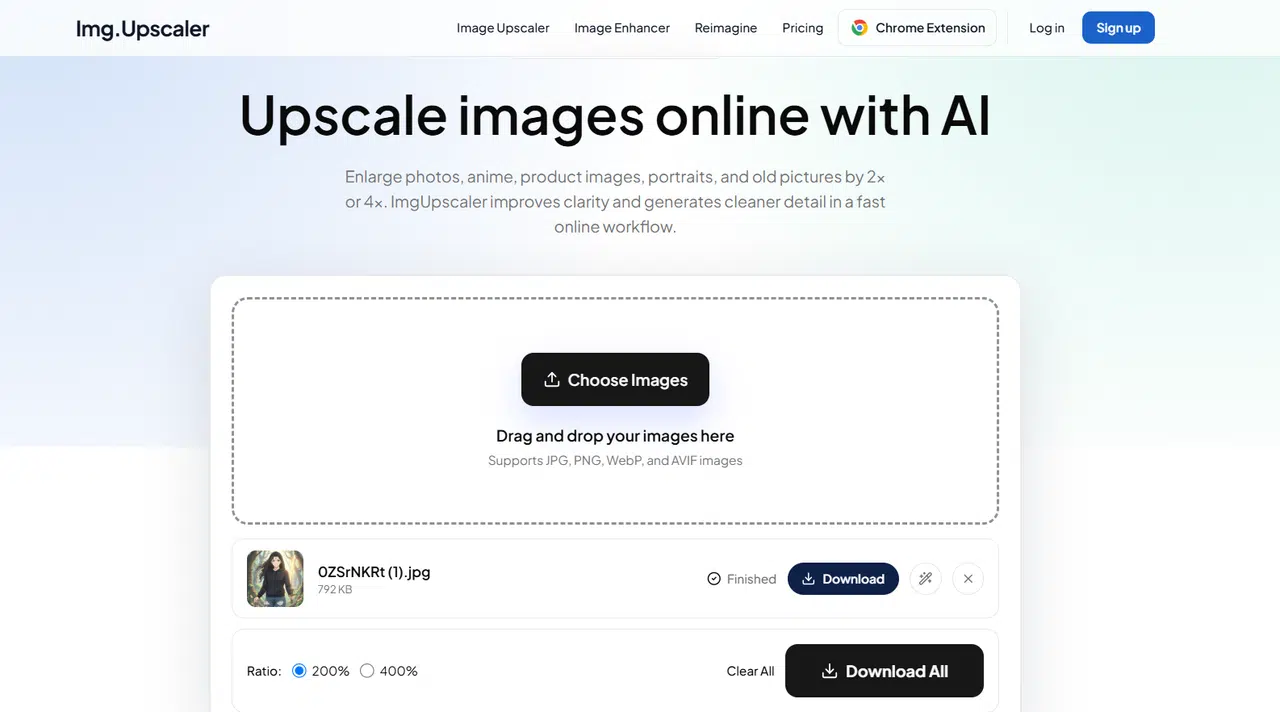
ImgUpscaler is an easy-to-use online AI image upscaling tool. It can enlarge images by 2x or 4x. Whether it’s portraits, anime art, or product photos, it handles them all with ease.
The batch processing feature available to Premium account holders makes the image-processing workflow more efficient. Regarding privacy, uploaded and processed images are automatically deleted within 24 hours.
AI Video Upscaling Requires a Different Approach
Video enhancement must ensure consistency across frames. While enhancing each frame, the enhanced video must also maintain frame-to-frame consistency in detail and motion.
VideoUpscaler supports 1x enhancement as well as 2x and 4x upscaling. With 1x enhancement, users improve video quality while maintaining the original video dimensions.
It supports video formats such as MP4, MOV, WebM, and MKV, and offers a trimming feature. Trim the desired segments before enhancement.
What to Keep in Mind When Upscaling
In AI upscaling, higher resolution doesn’t necessarily mean higher visual quality. Choose an appropriate magnification factor based on the specific use case. For one project, 2x magnification may be sufficient, while another project may require a larger output size. You don’t always need to process images at the highest magnification.
If the original image is very blurry, you may lose some details. Highly compressed videos may still exhibit some artifacts even after enhancement. Compare the enhanced video with the original, especially in areas with fine details, such as around faces, text, and moving objects.
Where AI Upscalers Make a Difference
You can also use an AI upscaler to bring older videos and photos back to life. Old family photos, videos, and historical footage are often shot or saved in low resolution. So they don’t look that great on today’s high-resolution displays. Image enhancement improves image quality so you can enjoy old memories again.
AI image enhancement goes far beyond preserving old memories. Creators often work with images from a variety of sources, and their quality can vary widely. An old project photo might be too small to reuse, a product image might need to be enlarged to fit a website display, or a thumbnail might need a slight boost in sharpness to appear clearer. In these situations, image enhancement technology improves the usability of existing visual assets without creating them from scratch.
For creators, time is extremely valuable. AI enhancement streamlines this workflow, freeing up more time to focus on creative work.
Businesses can use video enhancement tools to upgrade older or low-resolution promotional videos for websites, social media, or marketing campaigns.
Conclusion
The greatest advantage of AI-powered image and video enhancement is its ability to make existing images or videos better suited for today’s workflows.
A small image can be better suited for a website or product page; an old photo can be shared more easily; and a short video can be optimized before posting online. Creators don’t have to discard content simply because the original resolution is too low; instead, they can explore whether AI enhancement can breathe new life into their images and videos.
Image and video upscaling tools collectively provide a simple way to bridge the gap between older, low-resolution media and the demands of modern digital content.

This content is brought to you by the FingerLakes1.com Team. Support our mission by visiting www.patreon.com/fl1 or learn how you send us your local content here.